ELECTRICAL & DIY
How to Upgrade Home Security: A Complete Guide to Protecting Your Home and Family

Introduction
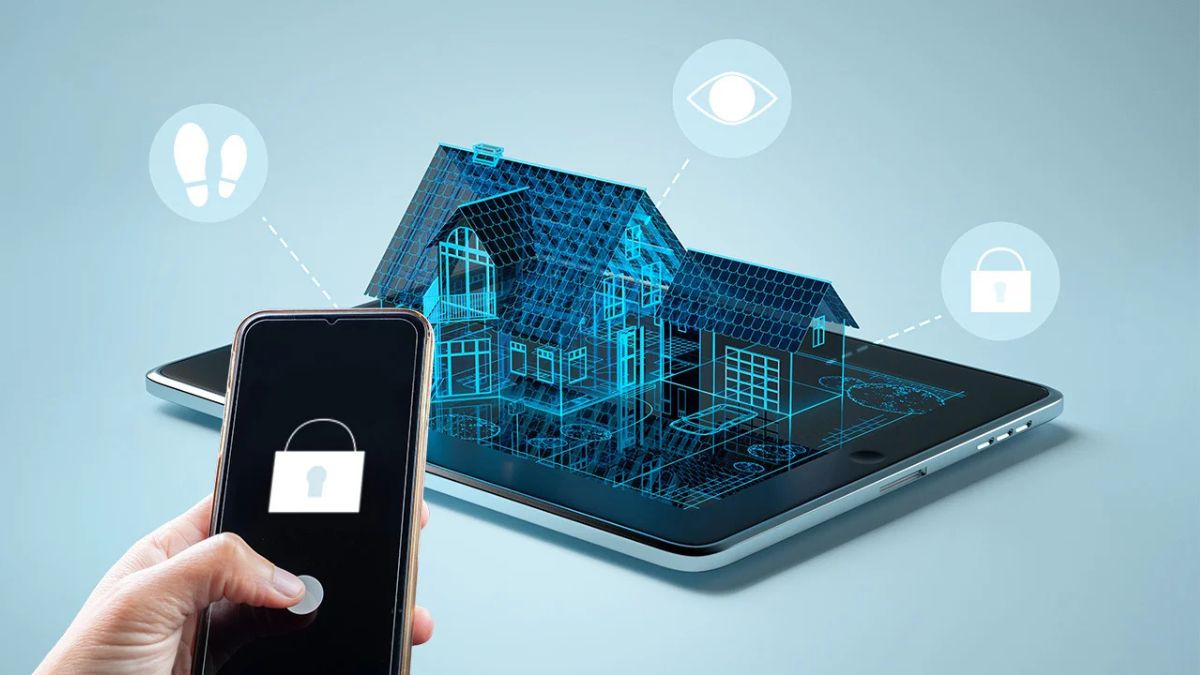
Learning how to upgrade home security is one of the most valuable investments you can make for your property and loved ones. Modern security solutions go far beyond simple locks and alarms. Today’s homeowners have access to smart technology, surveillance systems, automated lighting, and advanced monitoring tools that significantly reduce security risks.
Whether you’re moving into a new house or improving an existing security setup, understanding the right upgrades can help deter intruders, protect valuables, and provide peace of mind. This guide covers practical steps, proven strategies, and the latest security improvements that can strengthen your home’s defenses.
Why Home Security Matters
Home security is about more than preventing theft. A well-protected property can help:
- Deter burglars before they attempt entry
- Protect family members and pets
- Reduce property damage
- Lower insurance premiums in some cases
- Provide remote monitoring capabilities
- Improve emergency response times
Studies consistently show that homes with visible security measures are less attractive targets for criminals.
How to Upgrade Home Security Effectively
Improving security starts with identifying vulnerabilities and addressing them systematically.
Conduct a Home Security Assessment
Walk around your property and evaluate:
- Entry points
- Window security
- Exterior lighting
- Landscaping visibility
- Garage access
- Smart device security
Look at your home from the perspective of an intruder. Areas that offer concealment or easy access should be addressed first.
Prioritize High-Risk Areas
Focus your efforts on:
- Front door
- Back door
- Ground-floor windows
- Garage doors
- Sliding glass doors
- Basement entrances
These locations are the most common entry points during break-ins.
Essential Home Security Upgrades
Upgrade Door Locks
Your front door serves as the primary barrier against unauthorized access.
Consider:
- Grade 1 deadbolt locks
- Smart locks with remote access
- Reinforced strike plates
- Longer mounting screws
- Door jamb reinforcement kits
A strong lock combined with reinforced hardware significantly improves door resistance.
Secure Windows Properly
Windows are frequently overlooked during security upgrades.
Effective improvements include:
- Window locks
- Security film
- Glass break sensors
- Window security bars where appropriate
- Smart contact sensors
Install a Video Doorbell
Video doorbells allow homeowners to:
- See visitors remotely
- Record activity
- Receive real-time alerts
- Communicate through two-way audio
This simple upgrade can dramatically increase awareness around your property’s main entrance.
Home Security Upgrade Comparison Table
| Security Upgrade | Security Impact | Cost Range | Difficulty Level |
|---|---|---|---|
| Smart Locks | High | Medium | Easy |
| Video Doorbell | High | Medium | Easy |
| Security Cameras | Very High | Medium to High | Moderate |
| Motion Lights | High | Low | Easy |
| Window Sensors | Medium | Low | Easy |
| Professional Alarm System | Very High | High | Moderate |
This comparison helps homeowners prioritize upgrades based on budget and security goals.
Install a Comprehensive Security Camera System
Security cameras remain among the most effective deterrents available.
Best Locations for Security Cameras
Place cameras near:
- Front entrance
- Rear entrance
- Driveway
- Garage
- Backyard
- Side gates
Visible cameras often discourage criminal activity before it begins.
Indoor vs Outdoor Cameras
| Feature | Indoor Cameras | Outdoor Cameras |
|---|---|---|
| Weather Resistance | No | Yes |
| Night Vision | Common | Essential |
| Monitoring Purpose | Interior Activity | Perimeter Security |
| Installation Complexity | Simple | Moderate |
| Durability Requirements | Low | High |
Combining indoor and outdoor surveillance provides complete coverage.
Improve Outdoor Security
The exterior of your property forms the first line of defense.
Install Motion Sensor Lighting
Burglars prefer darkness and concealment. Motion-activated lighting can:
- Illuminate suspicious activity
- Startle intruders
- Improve camera footage quality
- Enhance overall visibility
Install lights near:
- Entrances
- Walkways
- Garages
- Backyard areas
Maintain Landscaping
Overgrown bushes and trees create hiding spots.
Best practices include:
- Trimming shrubs below window level
- Keeping tree branches away from roofs
- Maintaining clear sightlines
- Removing dense vegetation near entry points
Add Security Signage
Even if your security system is basic, visible signs and stickers can act as deterrents.
Signs indicating surveillance or alarm monitoring may encourage criminals to move on to easier targets.
Upgrade to a Smart Home Security System
Modern smart home technology has transformed residential security.
Features Worth Considering
Look for systems offering:
- Mobile app control
- Real-time alerts
- Cloud video storage
- Smart lock integration
- Emergency notifications
- Voice assistant compatibility
Smart security systems provide greater convenience while enhancing protection.
Benefits of Smart Security
Some advantages include:
- Remote monitoring
- Automation capabilities
- Immediate alerts
- Expanded device compatibility
- Simplified management
Homeowners can monitor their properties from virtually anywhere.
Create a Layered Security Strategy
Security works best when multiple protective measures work together.
Home Security Layers Explained
| Security Layer | Purpose | Examples |
|---|---|---|
| Deterrence | Discourage criminals | Cameras, signs, lighting |
| Detection | Identify threats | Motion sensors, alarms |
| Delay | Slow intruders | Deadbolts, reinforced doors |
| Response | Take action | Monitoring services, alerts |
A layered approach creates multiple obstacles for potential intruders.
Protect Your Garage
Garages often contain expensive tools, vehicles, and equipment.
Security improvements include:
- Smart garage door openers
- Garage door sensors
- Interior deadbolts
- Security cameras
- Frosted windows
Never leave garage remote controls visible inside parked vehicles.
Strengthen Cybersecurity for Smart Devices
Modern home security includes digital protection.
Secure Connected Devices
Follow these steps:
- Use strong passwords
- Enable two-factor authentication
- Update firmware regularly
- Secure Wi-Fi networks
- Remove unused devices
Weak cybersecurity can undermine even the most advanced physical security systems.
Pros and Cons of Home Security Upgrades
Pros
- Increased protection
- Better monitoring capabilities
- Greater peace of mind
- Potential insurance savings
- Enhanced property value
- Faster emergency awareness
Cons
- Initial installation costs
- Maintenance requirements
- Subscription fees for some services
- Potential privacy concerns
- Learning curve for smart systems
For most homeowners, the benefits significantly outweigh the drawbacks.
Common Mistakes to Avoid
Many homeowners unknowingly create security vulnerabilities.
Avoid these mistakes:
Hiding Spare Keys Outside
Common hiding places are often the first locations intruders check.
Ignoring Window Security
Strong doors alone are not enough if windows remain vulnerable.
Leaving Outdoor Areas Dark
Poor lighting creates opportunities for unwanted activity.
Neglecting Security System Updates
Outdated software can expose smart devices to cyber threats.
Advertising Vacations Online
Publicly sharing travel plans may signal that a home is unoccupied.
Best Practices for Long-Term Home Security
Maintaining security requires ongoing attention.
Perform Regular Inspections
Check:
- Locks
- Cameras
- Motion sensors
- Alarm systems
- Smart devices
Update Access Permissions
Remove access for:
- Former tenants
- Contractors
- Temporary guests
Test Alarm Systems Monthly
Regular testing ensures systems function properly during emergencies.
Build Neighborhood Awareness
Good relationships with neighbors can improve overall community security.
Neighbors often notice unusual activity before homeowners do.
Practical Example: A Budget-Friendly Security Upgrade Plan
If you’re working with a limited budget, consider this order of upgrades:
- Install quality deadbolts
- Add motion sensor lighting
- Secure windows
- Install a video doorbell
- Add security cameras
- Upgrade to a smart security system
This phased approach spreads costs while steadily improving protection.
Conclusion
Understanding how to upgrade home security starts with identifying vulnerabilities and implementing improvements strategically. Strong locks, security cameras, motion lighting, smart monitoring systems, and cybersecurity measures all contribute to a safer home environment.
The most effective security plans combine deterrence, detection, delay, and response. By adopting a layered approach and regularly maintaining your security systems, you can significantly reduce risks while creating a safer space for your family and property.
Frequently Asked Questions
1. What is the most effective home security upgrade?
Security cameras combined with motion sensor lighting are among the most effective deterrents because they increase visibility and provide evidence if an incident occurs.
2. Are smart home security systems worth it?
Yes. Smart systems offer remote monitoring, instant alerts, automation, and improved convenience, making them valuable for many homeowners.
3. How much does it cost to upgrade home security?
Costs vary widely. Basic upgrades may cost under $200, while comprehensive systems with cameras, sensors, and monitoring can exceed several thousand dollars.
4. Do security cameras prevent burglaries?
Visible cameras can deter many criminals by increasing the likelihood of identification and evidence collection.
5. How often should home security systems be tested?
Most experts recommend testing alarms, sensors, and monitoring features at least once per month.
/ You May Also Read /
Why Doesn’t Wyze Home Security Work With Wyze Bolt V2? Complete Compatibility Guide

ELECTRICAL & DIY
Why Doesn’t Wyze Home Security Work With Wyze Bolt V2? Complete Compatibility Guide
Introduction
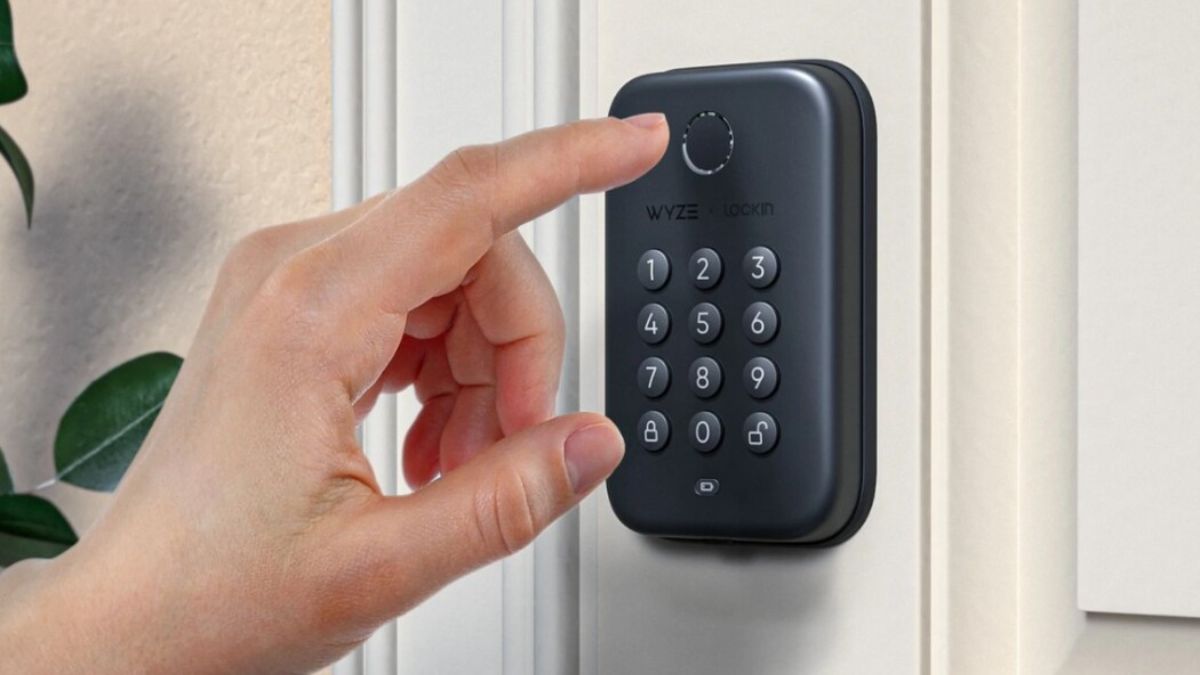
Many smart home users ask, why doesn’t Wyze Home Security work with Wyze Bolt V2 when both products come from the same company. At first glance, it seems logical that a smart lock and a home security system should seamlessly communicate with each other. However, smart home ecosystems often involve different communication protocols, hardware limitations, and software integration challenges.
If you’ve recently purchased a Wyze Bolt V2 and expected it to integrate directly with your Wyze Home Security setup, you may have discovered that the experience isn’t as straightforward as anticipated.
This guide explains the reasons behind the compatibility issue, what features currently work, possible workarounds, and what users should know before expanding their Wyze smart home ecosystem.
Understanding Wyze Bolt V2 and Wyze Home Security
Before discussing compatibility concerns, it’s important to understand how these products function.
What Is Wyze Bolt V2?
Wyze Bolt V2 is a smart deadbolt designed to replace a traditional lock while adding digital access capabilities. It allows homeowners to:
- Unlock doors using fingerprints
- Access the lock through Bluetooth
- Create temporary access codes
- Monitor lock activity
- Improve home entry convenience
Unlike some smart locks, Wyze Bolt V2 primarily relies on Bluetooth communication rather than a dedicated Wi-Fi connection.
What Is Wyze Home Security?
Wyze Home Security is a broader security ecosystem that includes:
- Entry sensors
- Motion sensors
- Security monitoring
- Alarm systems
- Home monitoring services
- Smart device automation
The system is designed around a central security infrastructure that manages alerts, monitoring, and automation.
Why Doesn’t Wyze Home Security Work With Wyze Bolt V2?
The Short Answer
The main reason is that Wyze Bolt V2 was not designed as a fully integrated security sensor within the Wyze Home Security platform.
While both products operate under the Wyze brand, they serve different purposes and use different communication methods.
Key Compatibility Factors
| Compatibility Factor | Wyze Bolt V2 | Wyze Home Security |
|---|---|---|
| Primary Function | Smart Lock | Security Monitoring |
| Main Connectivity | Bluetooth | Hub-Based Communication |
| Alarm Integration | Limited | Core Feature |
| Sensor Functionality | Lock Status | Security Detection |
| Professional Monitoring | Not Primary | Primary Purpose |
Because of these differences, direct interaction between the devices remains limited.
Different Product Development Paths
Many consumers assume all smart home devices from one manufacturer automatically work together.
In reality, products are often developed by separate engineering teams with different goals:
- Smart locks focus on access control.
- Security systems focus on intrusion detection.
- Monitoring platforms focus on emergency response.
As a result, integration may lag behind product releases.
Communication Technology Differences
One of the biggest reasons for compatibility limitations involves wireless communication.
Bluetooth vs Security Hub Communication
Wyze Bolt V2 relies heavily on Bluetooth technology for local communication.
Meanwhile, Wyze Home Security uses a dedicated infrastructure designed for:
- Reliable sensor reporting
- Alarm triggering
- Continuous monitoring
- Emergency notifications
Because these communication methods differ, the devices do not always exchange information directly.
Why This Matters
For a lock to fully participate in a monitored security system, it typically needs to:
- Continuously report status.
- Trigger security events.
- Communicate through the monitoring hub.
- Support automation protocols.
When a device lacks these capabilities, full integration becomes difficult.
What Features Currently Work?
Although complete integration may not be available, users can still benefit from several smart lock functions.
Independent Smart Lock Features
Wyze Bolt V2 can typically handle:
- Fingerprint unlocking
- Passcode entry
- Lock activity tracking
- Local Bluetooth control
- User management
These functions remain valuable even without direct security system integration.
App-Based Management
Users can still manage lock settings through the Wyze app.
This allows homeowners to:
- View lock activity
- Add new users
- Change access settings
- Monitor lock status
However, these actions may not automatically influence the security system.
Common User Expectations vs Reality
Many buyers expect advanced automation scenarios.
Expected Integration
Users often assume they can:
- Disarm security when unlocking the door.
- Automatically arm security when leaving.
- Trigger alarms from lock tampering.
- Create lock-based security automations.
Actual Experience
In many cases, the lock and security system operate as separate products.
| User Expectation | Actual Behavior |
|---|---|
| Unlock door disarms alarm | May not be supported |
| Lock status controls security mode | Limited or unavailable |
| Security monitoring tracks lock events | Partial visibility |
| Lock tampering triggers alarm | Not always integrated |
| Complete smart home automation | Depends on platform support |
This gap often causes confusion among homeowners.
Potential Workarounds
Although direct integration may be limited, some users create alternative solutions.
Using Smart Home Platforms
Depending on available support, third-party smart home ecosystems may provide additional automation options.
Examples include:
- Voice assistant routines
- Smart home hubs
- Automation services
- Cross-device integrations
Always verify compatibility before purchasing additional equipment.
Creating Manual Security Routines
Many homeowners simply create habits such as:
- Locking the door before arming security.
- Checking lock status through the app.
- Reviewing activity logs regularly.
While less automated, these practices still improve security.
Advantages of Keeping Systems Separate
Interestingly, separation isn’t always a disadvantage.
Reduced Complexity
When devices operate independently:
- Fewer automation failures occur.
- Troubleshooting becomes easier.
- Security risks from system-wide failures decrease.
Better Device Reliability
Dedicated devices often perform their primary function better than multi-purpose products.
A smart lock focused on access control can sometimes offer greater reliability than one overloaded with automation features.
Pros and Cons
Pros
- Reliable fingerprint access
- Convenient smart lock features
- Easy user management
- Simple installation process
- Independent operation during certain network issues
Cons
- Limited security system integration
- Fewer automation possibilities
- Potential user confusion
- Separate management workflows
- Missing advanced security triggers
Common Mistakes Users Make
Assuming Brand Equals Compatibility
One of the most common mistakes is believing every product from the same manufacturer works together automatically.
Always verify:
- Hub requirements
- Integration support
- Communication standards
- Automation capabilities
Ignoring Product Specifications
Many compatibility concerns arise because users skip detailed product specifications before purchasing.
Review:
- Connectivity methods
- Supported ecosystems
- Automation features
- Integration limitations
Overlooking Firmware Updates
Manufacturers frequently expand functionality through updates.
Users should:
- Update devices regularly.
- Monitor release notes.
- Check official compatibility announcements.
Best Practices for Wyze Smart Home Owners
Plan Your Ecosystem Before Buying
The best smart home experiences usually result from careful planning.
Consider:
- Desired automations
- Security requirements
- Future expansion plans
- Platform compatibility
Prioritize Core Security Functions
Security should remain the primary objective.
Focus on:
- Strong door locks
- Reliable sensors
- Effective monitoring
- Secure user access management
Review Integration Roadmaps
Manufacturers regularly improve ecosystems.
Keeping up with product announcements can help you take advantage of future integrations when they become available.
Smart Home Compatibility Checklist
| Evaluation Area | Questions to Ask |
|---|---|
| Connectivity | Does the device use Bluetooth, Wi-Fi, or a hub? |
| Automation | Can it trigger routines or scenes? |
| Security Integration | Does it work with monitoring systems? |
| Ecosystem Support | Which smart home platforms are supported? |
| Future Expansion | Will new devices integrate easily? |
Using this checklist before purchasing can prevent compatibility surprises.
Frequently Asked Questions
Can Wyze Bolt V2 trigger a home security alarm?
Generally, the lock is designed primarily for access control rather than functioning as a dedicated alarm sensor.
Does unlocking Wyze Bolt V2 automatically disarm Wyze Home Security?
This functionality may not be available depending on current platform integration capabilities.
Is the issue caused by Bluetooth?
Bluetooth plays a role because it differs from the communication systems often used by security monitoring platforms.
Will future updates improve compatibility?
Manufacturers frequently release software and firmware updates, so future integration improvements remain possible.
Should I still buy Wyze Bolt V2?
If your priority is convenient keyless entry and fingerprint access, it can still be a useful smart lock even without deep security system integration.
Conclusion
If you’ve been wondering why doesn’t Wyze Home Security work with Wyze Bolt V2, the answer comes down to design priorities, communication technologies, and ecosystem integration limitations. While both products belong to the same smart home family, they were built for different purposes.
Wyze Bolt V2 excels as a convenient smart lock with fingerprint access and user management features. Meanwhile, Wyze Home Security focuses on monitoring, detection, and alarm response. Because these systems are not fully integrated, some users may experience limitations when attempting advanced automations.
Before purchasing any smart home device, review compatibility details carefully. Doing so can help you build a more reliable, secure, and frustration-free smart home environment.
/ You May Also Read /
ELECTRICAL & DIY
What Is Not a Physical Security Measure for Your Home? A Complete Guide to Home Security

Home security is a major concern for homeowners today. Whether you want to prevent break-ins, protect valuables, or keep your family safe, understanding different security measures is essential. One question many people ask is: what is not a physical security measure for your home?
The answer is important because homeowners often confuse physical security measures with digital or administrative security practices. While both contribute to overall safety, they serve different purposes.
In this guide, you’ll learn what physical security measures are, what does not qualify as a physical security measure, and how to build a complete home security strategy that combines both physical and non-physical protections.
Understanding Physical Security Measures
Physical security measures are tangible barriers, devices, or systems designed to prevent unauthorized access to your property. These measures can be seen, touched, and directly interact with potential threats.
Their primary goal is to deter, detect, delay, or prevent intruders from entering your home.
Common Physical Security Measures
Examples include:
- Deadbolt locks
- Security doors
- Window locks
- Security cameras
- Motion-sensor lighting
- Fences and gates
- Alarm systems
- Reinforced garage doors
- Smart locks
- Security screens
These tools create physical obstacles that make unauthorized access more difficult.
Why Physical Security Matters
Physical security serves as the first line of defense. Criminals often seek easy targets. Homes equipped with visible security measures can discourage opportunistic break-ins.
Benefits include:
- Increased property protection
- Improved family safety
- Reduced burglary risk
- Better emergency response
- Greater peace of mind
What Is Not a Physical Security Measure for Your Home?
A password is one of the best examples of something that is not a physical security measure for your home.
Passwords protect digital systems, online accounts, smart home applications, and personal information. While they contribute to overall security, they do not physically prevent someone from entering your property.
Other examples of non-physical security measures include:
- Passwords
- Two-factor authentication
- Security awareness training
- Cybersecurity software
- Network firewalls
- Data encryption
- Access policies
- Online account monitoring
These measures protect digital assets rather than physical spaces.
Quick Comparison Table
| Physical Security Measures | Non-Physical Security Measures |
|---|---|
| Door locks | Passwords |
| Security cameras | Data encryption |
| Motion lights | Antivirus software |
| Fences and gates | Security policies |
| Alarm systems | Two-factor authentication |
| Window bars | Network firewalls |
This distinction helps homeowners build a more comprehensive security plan.
Physical vs. Non-Physical Security Measures
Understanding the differences can eliminate confusion and improve your security strategy.
Physical Security
Physical security focuses on protecting people, buildings, and assets from physical threats.
Examples:
- Locks
- Gates
- Security guards
- Cameras
- Lighting systems
Non-Physical Security
Non-physical security focuses on protecting information, systems, and digital access.
Examples:
- Password management
- Cybersecurity tools
- Authentication systems
- Security procedures
- User permissions
Security Comparison Framework
| Security Category | Primary Purpose | Examples |
|---|---|---|
| Physical Security | Protect property and people | Locks, cameras, fences |
| Digital Security | Protect information and systems | Passwords, firewalls |
| Administrative Security | Control processes and behavior | Security policies, training |
The strongest security plans combine all three categories.
Types of Physical Security Measures Every Home Should Have
Not every home requires advanced protection, but certain measures provide substantial benefits.
Strong Entry Door Security
Your front door is one of the most common entry points for intruders.
Recommended upgrades include:
- Solid-core doors
- Reinforced strike plates
- Quality deadbolts
- Doorbell cameras
Window Protection
Windows are frequently targeted during burglaries.
Protect them with:
- Window locks
- Security film
- Glass break sensors
- Reinforced frames
Outdoor Security Lighting
Proper lighting reduces hiding spots and increases visibility.
Effective options include:
- Motion-activated lights
- Pathway lighting
- Floodlights
- Smart outdoor lighting
Security Cameras
Visible cameras often deter criminal activity.
Ideal locations include:
- Front entrances
- Driveways
- Garages
- Backyard access points
The Growing Importance of Digital Security at Home
Although passwords are not physical security measures, they remain essential.
Modern homes increasingly rely on connected devices such as:
- Smart locks
- Video doorbells
- Home security apps
- Smart thermostats
- Voice assistants
Without proper digital security, hackers could potentially gain access to connected devices.
Digital Security Best Practices
Use these strategies:
- Create strong passwords
- Enable two-factor authentication
- Update software regularly
- Secure your Wi-Fi network
- Monitor account activity
Physical and digital security should work together rather than compete.
Common Home Security Mistakes
Many homeowners unintentionally weaken their security.
Relying Only on Physical Security
Locks and cameras are important, but ignoring digital protection creates vulnerabilities.
For example, an unsecured smart lock app could undermine physical security investments.
Using Weak Passwords
Many people still use predictable passwords such as:
- 123456
- Password
- Birthdates
- Pet names
These are easily guessed or cracked.
Ignoring Lighting
Dark areas around a property can attract unwanted attention.
Motion-sensor lights are inexpensive and effective.
Forgetting Regular Maintenance
Security equipment requires routine inspection.
Check:
- Camera functionality
- Alarm batteries
- Door hardware
- Window locks
Best Practices for Complete Home Security
A layered approach provides the strongest protection.
Build Multiple Layers of Defense
Think of security as overlapping barriers.
A layered strategy may include:
- Exterior lighting
- Fencing
- Security cameras
- Reinforced doors
- Alarm systems
- Digital account protection
Security Layer Breakdown
| Security Layer | Purpose | Example |
|---|---|---|
| Perimeter Security | Discourage access | Fence, gate |
| Entry Security | Prevent entry | Deadbolt lock |
| Detection Security | Identify threats | Cameras |
| Response Security | Trigger action | Alarm system |
| Digital Security | Protect connected devices | Strong passwords |
Secure Smart Home Devices
If your home uses smart technology:
- Change default passwords
- Enable encryption features
- Use trusted networks
- Update firmware frequently
Conduct Security Audits
Review your home security every few months.
Ask yourself:
- Are locks functioning properly?
- Are cameras recording?
- Are passwords updated?
- Are outdoor areas well-lit?
Regular reviews help identify weaknesses before they become problems.
Pros and Cons of Physical Security Measures
Pros
- Visible deterrent to criminals
- Immediate protection
- Increases property value
- Improves family safety
- Works without internet access in many cases
Cons
- Installation costs
- Maintenance requirements
- Some systems require monitoring fees
- Physical barriers alone cannot stop cyber threats
A balanced security strategy addresses both physical and digital risks.
Common Misconceptions About Home Security
Many myths continue to circulate.
Myth 1: Cameras Prevent All Crime
Cameras help deter and record activity, but they do not physically stop intruders.
Myth 2: Passwords Are Physical Security Measures
This is incorrect. Passwords are digital security controls, not physical barriers.
Myth 3: Small Homes Don’t Need Security
Every home can benefit from basic security measures regardless of size.
Myth 4: Expensive Systems Are Always Better
Proper placement, maintenance, and user awareness often matter more than price.
Conclusion
When people ask, what is not a physical security measure for your home, the most common answer is a password. Passwords protect digital access and information, but they do not physically secure your property.
Physical security measures include locks, cameras, fences, alarms, lighting, and reinforced entry points. Non-physical measures such as passwords, encryption, and cybersecurity tools protect digital assets and connected devices.
The most effective home security strategy combines physical security, digital protection, and smart security practices. By understanding the difference, you can create a safer and more resilient home environment.
Frequently Asked Questions
1. What is considered a physical security measure for a home?
Physical security measures include locks, security cameras, alarm systems, fences, gates, motion-sensor lights, and reinforced doors.
2. Is a password a physical security measure?
No. A password is a digital security measure that protects accounts and systems rather than physical property.
3. Why is physical security important?
Physical security helps prevent unauthorized access, protects property, and improves the safety of occupants.
4. Can digital security replace physical security?
No. Digital security protects information and connected devices, while physical security protects people and property. Both are necessary.
5. What is the best home security strategy?
A layered approach combining locks, cameras, lighting, alarms, strong passwords, and cybersecurity practices provides the best protection.
/ You May Also Read /
How to Upgrade Home Security: A Complete Guide to Protecting Your Home and Family
ELECTRICAL & DIY
List Different Gadgets Which Use Infrared Technology at Your Home: Everyday Devices You Might Not Notice
Infrared technology quietly powers many devices we use every day. If you’ve ever changed a TV channel with a remote control or checked a temperature using a contactless thermometer, you’ve already benefited from infrared communication.
When people search for a list different gadgets which use infrared technology at your home, they are often surprised by how many common household devices rely on this invisible form of light. Infrared technology enables communication, sensing, temperature measurement, and automation without requiring direct physical contact.
In this guide, you’ll learn how infrared technology works, where it’s used around the house, and why it remains important even in the age of Wi-Fi and Bluetooth.
What Is Infrared Technology?
Infrared (IR) is a type of electromagnetic radiation with wavelengths longer than visible light but shorter than microwaves. Human eyes cannot see infrared light, but many electronic devices can detect and use it.
Infrared technology is commonly used for:
- Remote communication
- Motion detection
- Temperature measurement
- Night vision systems
- Home security
- Smart home automation
How Infrared Works
An infrared transmitter sends invisible light signals. A receiver detects these signals and converts them into commands or data.
For example:
- Press a button on a TV remote.
- The remote sends an infrared signal.
- The TV receives and interprets the signal.
- The requested action occurs instantly.
This simple process makes infrared one of the most reliable wireless technologies available.
List Different Gadgets Which Use Infrared Technology at Your Home
Many household devices depend on infrared technology for daily operation.
Common Infrared Gadgets Found at Home
| Household Gadget | Primary Infrared Function | Everyday Use |
|---|---|---|
| TV Remote Control | Signal transmission | Channel and volume control |
| Air Conditioner Remote | Wireless communication | Temperature adjustment |
| Set-Top Box Remote | Device control | Navigation and settings |
| Infrared Thermometer | Temperature sensing | Health monitoring |
| Motion Sensor Lights | Movement detection | Security and convenience |
| Security Cameras | Night vision | Surveillance |
| Smart Home Sensors | Presence detection | Automation |
| DVD/Blu-ray Remote | Command transmission | Media playback |
These devices demonstrate how widespread infrared technology has become in modern homes.
TV Remote Controls
TV remote controls are probably the most familiar infrared gadgets.
Every time you press a button, the remote emits coded infrared signals that tell the television what action to perform.
Benefits of Infrared TV Remotes
- Low power consumption
- Reliable communication
- Affordable manufacturing
- Fast response times
- Long battery life
Although some smart TVs now support Bluetooth remotes, infrared remains the standard backup control method.
Air Conditioner Remote Controls
Most air conditioning systems use infrared communication between the remote and the indoor unit.
The remote sends commands such as:
- Increase temperature
- Decrease temperature
- Change fan speed
- Switch operating modes
- Set timers
Because infrared communication is inexpensive and reliable, manufacturers continue to use it in residential HVAC systems.
Infrared Thermometers
Infrared thermometers became widely recognized during health screenings, but they have been used in homes for years.
These devices measure thermal radiation emitted by objects and surfaces.
Typical Household Uses
- Checking body temperature
- Measuring food temperature
- Testing appliance heat levels
- Monitoring baby room conditions
- DIY home maintenance
Their ability to provide instant readings without physical contact makes them extremely convenient.
Security Cameras with Night Vision
Modern security cameras often use infrared LEDs to see in darkness.
When lighting conditions become poor, infrared illumination activates automatically. The camera can then capture clear images even when the surrounding environment appears completely dark to human eyes.
Advantages of Infrared Night Vision
- 24/7 monitoring
- Enhanced security
- Clear nighttime footage
- Low energy consumption
Many homeowners rely on infrared-equipped cameras to improve home protection.
Motion Sensor Lighting Systems
Infrared motion sensors are commonly installed in:
- Hallways
- Garages
- Driveways
- Gardens
- Entryways
These systems detect body heat and movement.
When a person enters the sensor’s detection zone, lights automatically switch on.
Why Homeowners Like Infrared Motion Sensors
| Feature | Benefit |
|---|---|
| Automatic activation | Greater convenience |
| Energy efficiency | Reduced electricity usage |
| Security enhancement | Improved visibility |
| Hands-free operation | Easier access at night |
| Low maintenance | Long service life |
Motion-sensing lights are among the most practical infrared applications found in homes today.
Smart Home Devices Using Infrared Sensors
Smart homes increasingly combine infrared technology with internet-connected devices.
Examples include:
- Smart occupancy sensors
- Automated lighting systems
- Climate control systems
- Home monitoring devices
- Smart security hubs
How Infrared Improves Automation
Infrared sensors can detect:
- Human presence
- Room occupancy
- Movement patterns
- Heat signatures
This information allows smart systems to automate actions without requiring user input.
For example, lights may switch off automatically when nobody is present in a room.
Entertainment Systems and Media Players
Many entertainment devices still rely on infrared communication.
Examples include:
- Soundbars
- Home theater systems
- DVD players
- Blu-ray players
- Streaming boxes
Even when newer wireless technologies are available, infrared remains popular because it is inexpensive and dependable.
Infrared Devices in Home Security
Home security systems often incorporate infrared components to improve detection capabilities.
Common Security Applications
- Intruder detection
- Perimeter monitoring
- Motion tracking
- Night surveillance
- Smart alarm triggering
Infrared sensors can detect changes in heat patterns, helping identify human movement within protected areas.
Security Device Comparison
| Device Type | Infrared Function | Security Benefit |
|---|---|---|
| Security Camera | Night vision | Better monitoring |
| Motion Detector | Heat detection | Intrusion alerts |
| Smart Alarm | Presence sensing | Faster response |
| Video Doorbell | Motion recognition | Visitor awareness |
| Outdoor Sensor | Movement tracking | Property protection |
These technologies work together to create a safer home environment.
Advantages of Infrared Technology at Home
Infrared remains popular because it offers several practical benefits.
Key Advantages
- Low operating costs
- High reliability
- Minimal power consumption
- Fast response speed
- Easy integration into devices
- Long-lasting performance
- Cost-effective manufacturing
Another advantage is that infrared communication typically avoids interference from many household wireless networks.
Limitations of Infrared Technology
Although useful, infrared does have some restrictions.
Common Drawbacks
- Requires line-of-sight in many applications
- Limited transmission distance
- Performance can be affected by obstacles
- Strong sunlight may interfere with some sensors
- Less flexible than Wi-Fi or Bluetooth
Understanding these limitations helps homeowners choose the right technology for specific needs.
Pros and Cons of Infrared Gadgets
| Pros | Cons |
|---|---|
| Affordable technology | Short communication range |
| Energy efficient | Often requires direct alignment |
| Reliable operation | Obstructions can block signals |
| Easy to implement | Limited data transfer capability |
| Long battery life | Not ideal for complex networking |
Common Mistakes People Make
Many users misunderstand how infrared devices operate.
Mistakes to Avoid
- Blocking remote control sensors
- Installing motion sensors in poor locations
- Assuming infrared works through walls
- Ignoring sensor maintenance
- Using incompatible replacement remotes
Proper placement and maintenance help maximize device performance.
Best Practices for Using Infrared Devices
To get the most from infrared technology, follow a few simple recommendations.
Recommended Practices
- Keep sensor windows clean.
- Remove obstacles between transmitters and receivers.
- Replace batteries regularly.
- Test motion sensor coverage zones.
- Position security cameras correctly.
- Follow manufacturer installation guidelines.
These steps improve reliability and extend device lifespan.
The Future of Infrared Technology in Homes
Despite advances in wireless communication, infrared technology continues to evolve.
Modern innovations include:
- Smarter occupancy detection
- Advanced thermal imaging
- Improved home security systems
- Energy-efficient automation
- Enhanced health monitoring devices
As smart homes become more sophisticated, infrared sensors will likely remain an important part of everyday household technology.
Conclusion
If you’re looking for a list different gadgets which use infrared technology at your home, the answer includes far more devices than most people expect. From TV remotes and air conditioner controllers to night-vision cameras, motion sensors, and infrared thermometers, this technology quietly supports many daily activities.
Its reliability, affordability, and low power requirements make infrared an ideal solution for household electronics. While newer wireless technologies continue to expand, infrared remains one of the most practical and widely used technologies in modern homes.
Frequently Asked Questions
1. What is the most common infrared device found at home?
The TV remote control is the most common household device that uses infrared technology.
2. Can infrared signals pass through walls?
No. Most infrared communication requires a direct line of sight between the transmitter and receiver.
3. How do infrared thermometers work?
They detect thermal radiation emitted by an object and convert it into a temperature reading.
4. Why do security cameras use infrared?
Infrared LEDs allow cameras to capture images in low-light or complete darkness.
5. Are smart home systems still using infrared technology?
Yes. Many smart home devices use infrared sensors for occupancy detection, automation, security, and energy management.
/ You May Also Read /
What Is Not a Physical Security Measure for Your Home? A Complete Guide to Home Security
-
 HOME IMPROVEMENT2 months ago
Roof Sheathing: Complete Guide to Types, Materials, Costs, Installation, and Maintenance
-

 HOME IMPROVEMENT2 months ago
Roofing Cop: What It Means, How It Works, and Why Property Owners Use Roofing Advocacy Services
-
 HOME IMPROVEMENT2 months ago
Roof Decking: Complete Guide to Materials, Installation, Costs, and Maintenance
-

 HOME IMPROVEMENT2 months ago
Gable vs Hip Roof: Which Roof Style Is Better for Your Home?
-

 HOME IMPROVEMENT2 months ago
Roof Cricket: Complete Guide to Design, Purpose, Installation, and Best Practices
-

 HOME IMPROVEMENT2 months ago
How Long Does a Roof Last? A Complete Guide to Roof Lifespan and Replacement
-
 HOME IMPROVEMENT2 months ago
The Complete Guide to Roofing Shoes: Safety, Grip, and Performance on Every Roof
-
 HOME IMPROVEMENT2 months ago
Roof Drip Edge Flashing: Complete Guide to Installation, Benefits, Costs, and Best Practices